Popup & Modal Pro
A HubSpot module for popups that open on a click, after a delay, at a scroll depth or when a visitor moves to leave: a modal, a split offer, a full-screen launch, a slide-in, a bar, a drawer or a video. The content, the rules and every word are edited in the page editor.
See it working.
A short tour of the live demo: a popup opened from a link, a sign-up on exit intent, an offer with a code and a countdown, a video over the page, a slide-in, a bar and a drawer, and the Style tab behind them.
Try the demo →What this module does.
One module for a welcome offer, a newsletter sign-up, a demo request, a sale banner, release notes or a webinar recording. Every option below is an editable field in the HubSpot page editor.
Opened by a click or on its own
Any link to #your-popup-id opens it, from rich text, a menu or another module’s button, and so does a CSS selector you enter or its own trigger button. On its own it opens after a delay, at a scroll depth, when a section arrives, on exit intent or after a quiet spell.
Seven layouts
A centred modal, a split panel with an image, a full-screen takeover, a corner slide-in, a bar at the top or bottom, a side drawer or a video lightbox. On phones a modal, split, drawer or video can become a bottom sheet the visitor swipes away.
Offers that convert
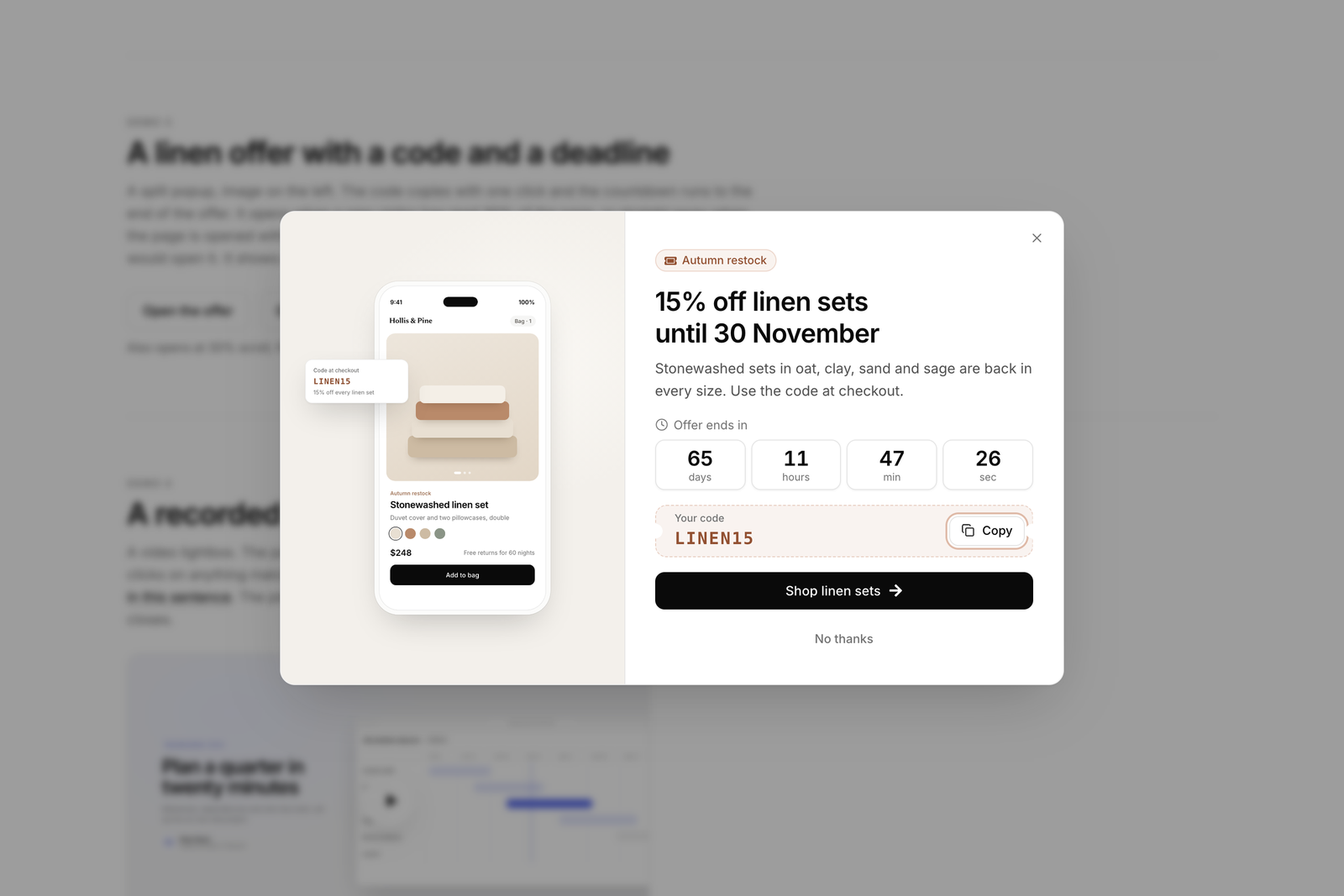
A HubSpot form, buttons, a coupon code with a Copy button, a countdown to a date or per visitor, and a No thanks link. The code can stay hidden until the form is sent, then appear with its Copy button in focus.
Shown as often as you choose
Every page view, once per visit, every few days or once ever, with a cap, and never again after a sign-up, a button click or a copied code. Target phones or desktop, new or returning visitors, and wait for the cookie banner.
One popup at a time
Several popups on a page, or in a global group, form a queue ordered by the priority you give each, so only one is ever on screen. Show, convert and close events go to Google Tag Manager with the popup ID and trigger attached.
Yours to style and translate
The accent colour and both fonts come from your theme settings. Every colour, size, radius, shadow and animation is a field on the Style tab, and every word is a field on the Content tab. In the editor the popup shows open and in place.
Every layout a visitor sees.
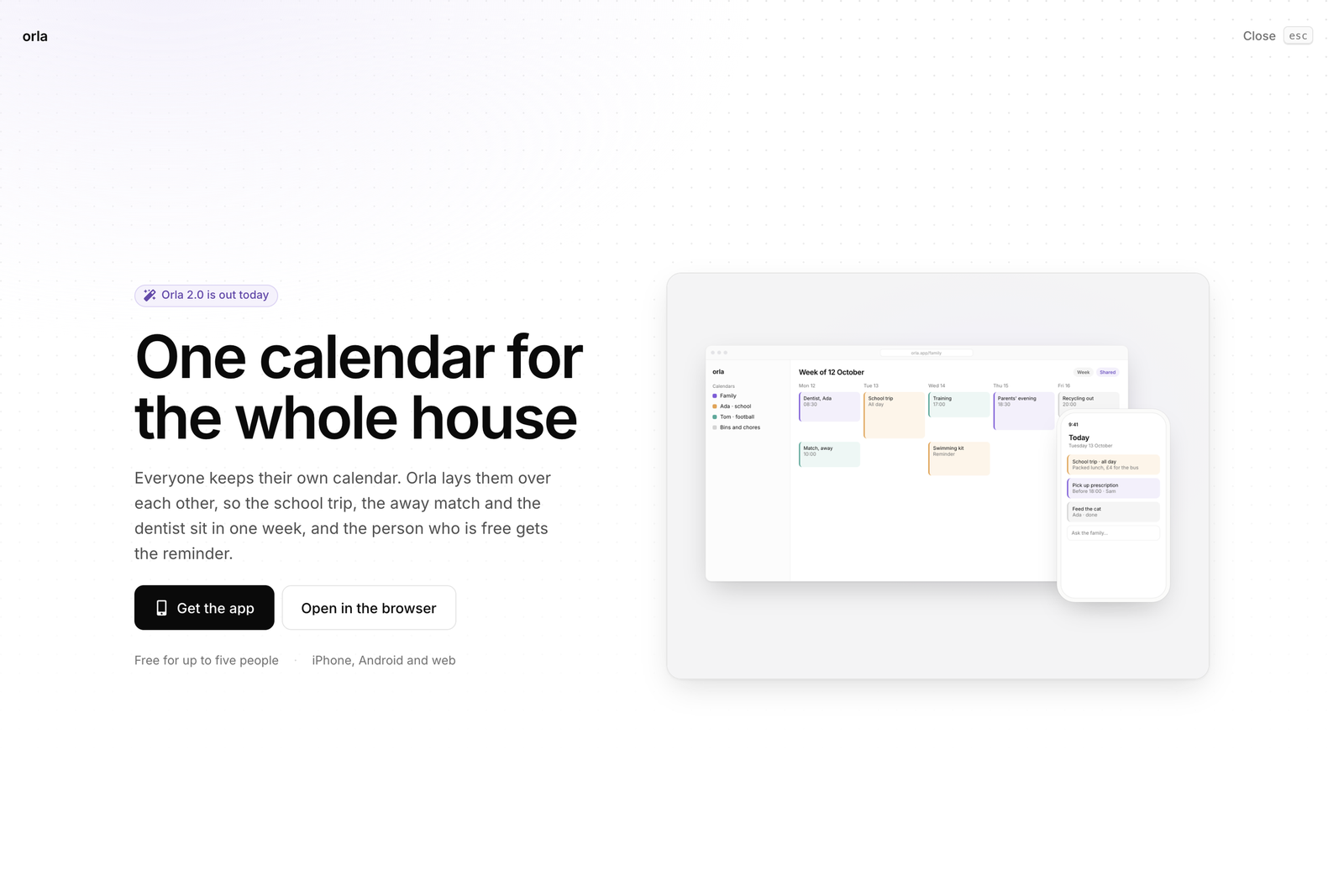
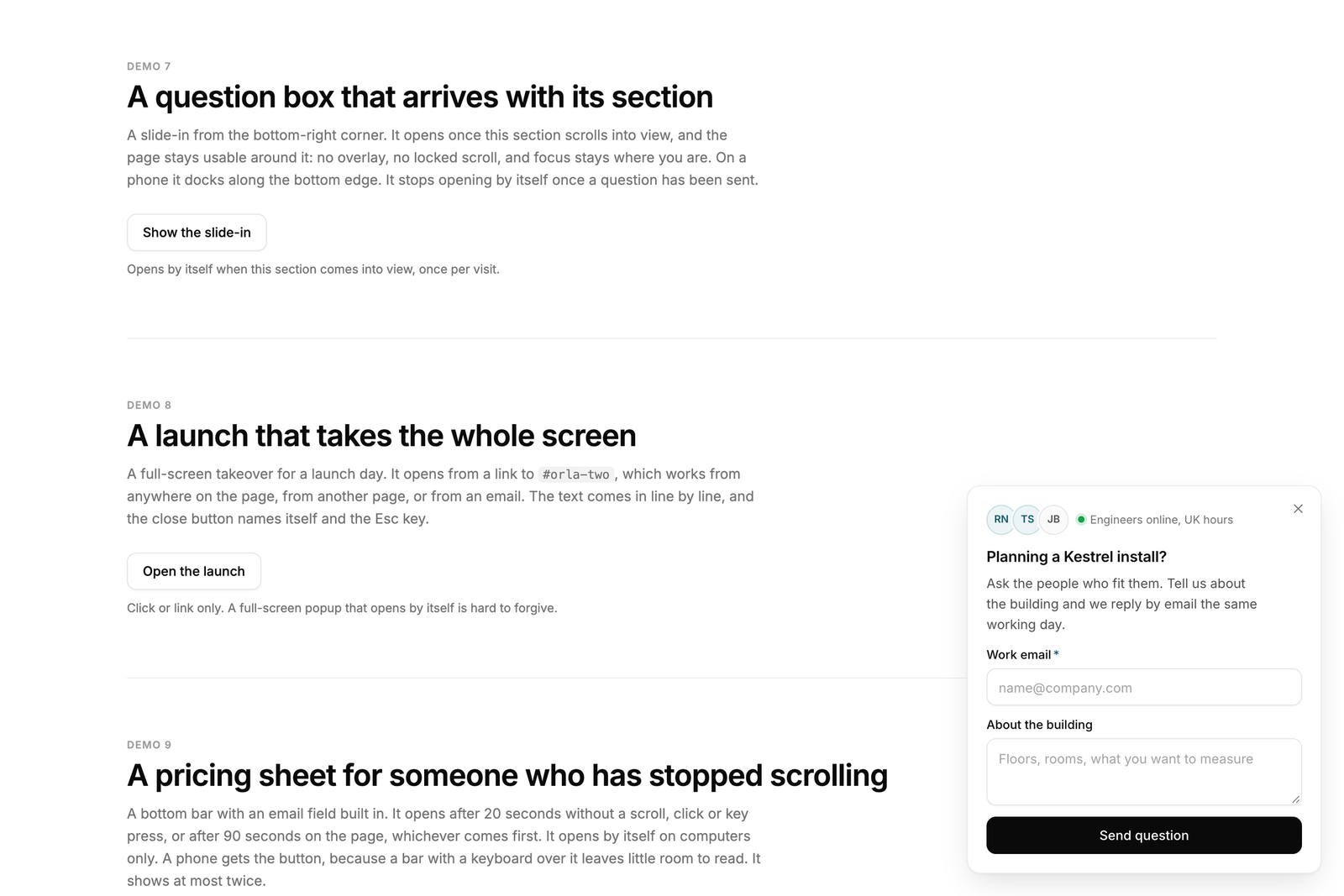
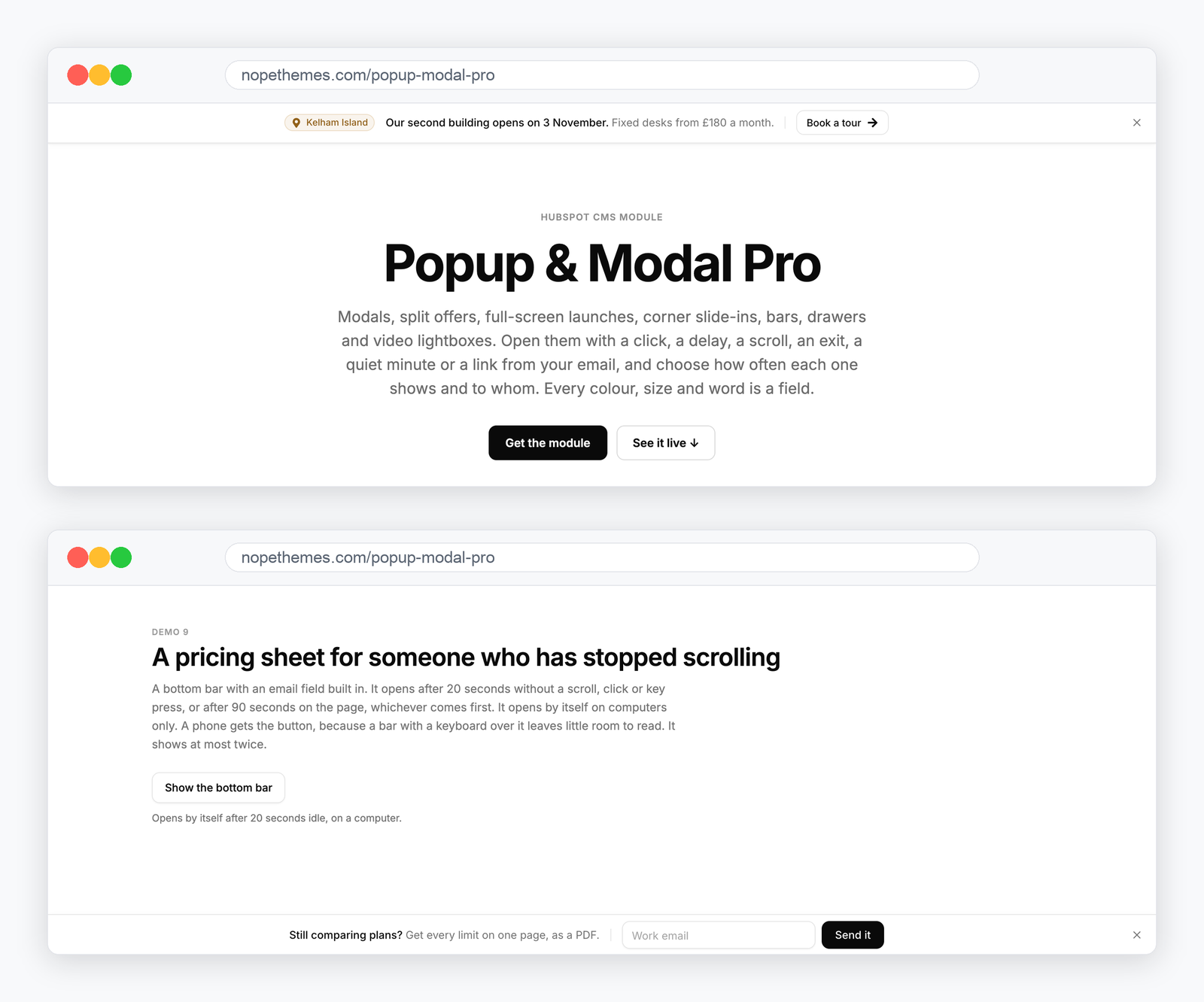
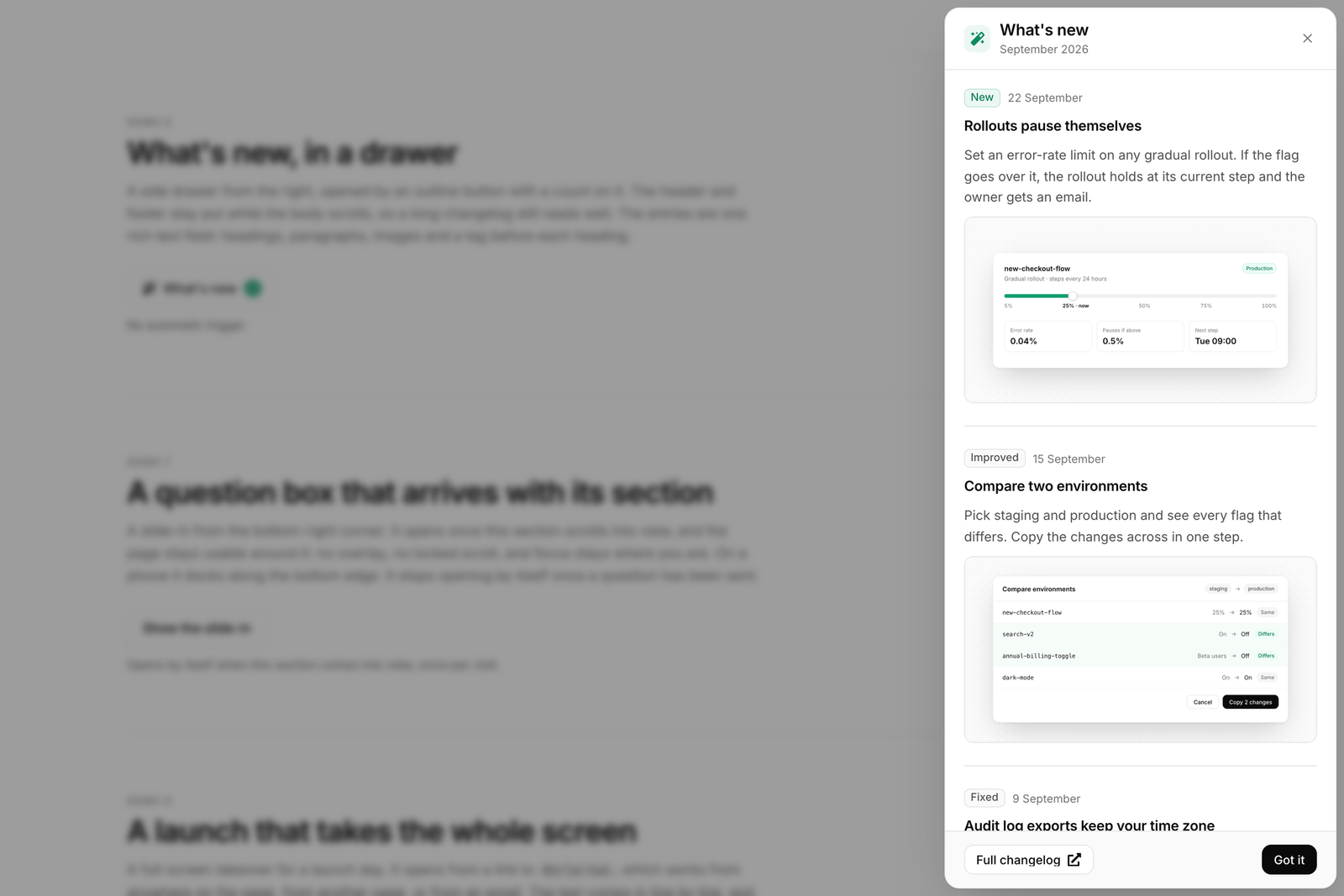
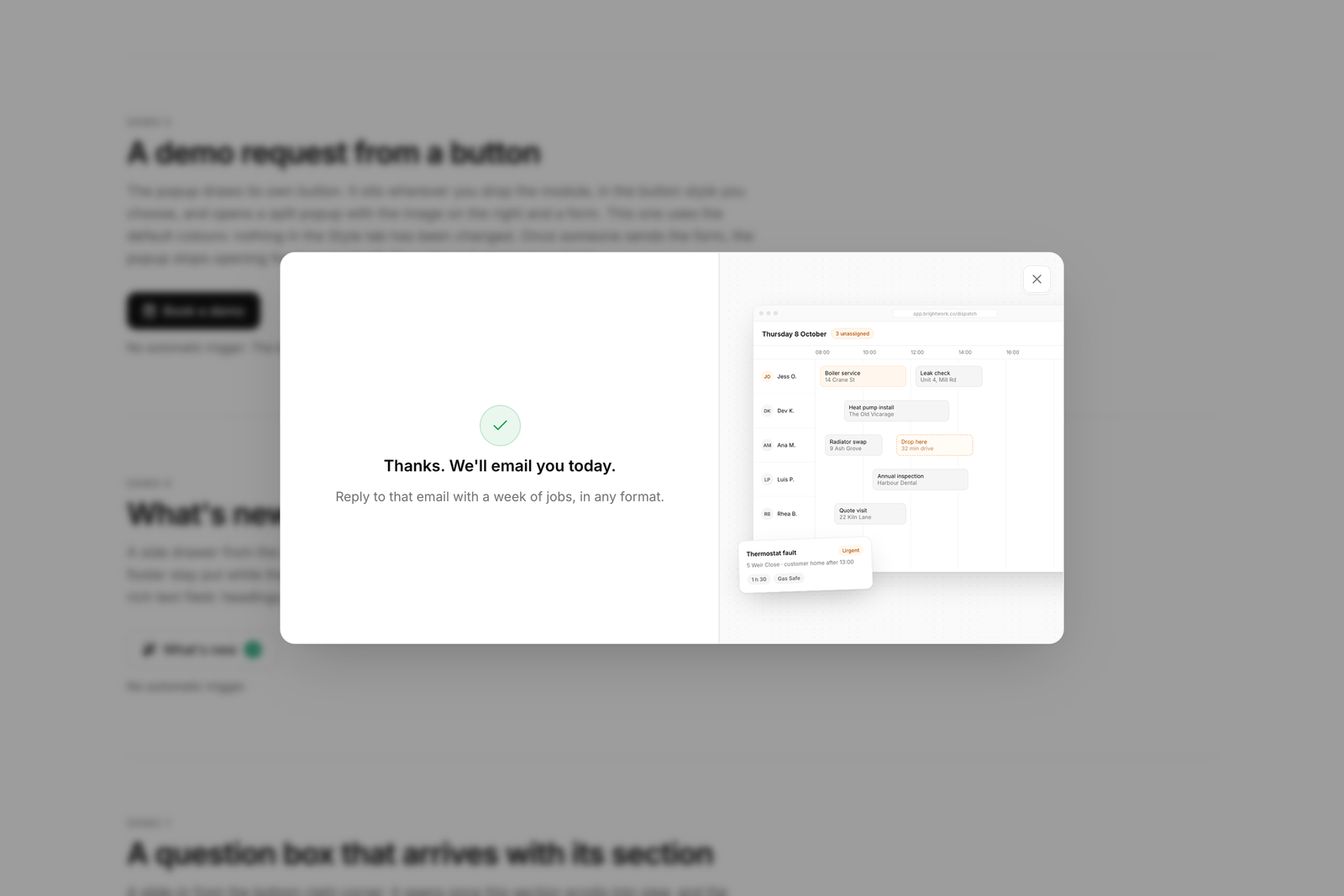
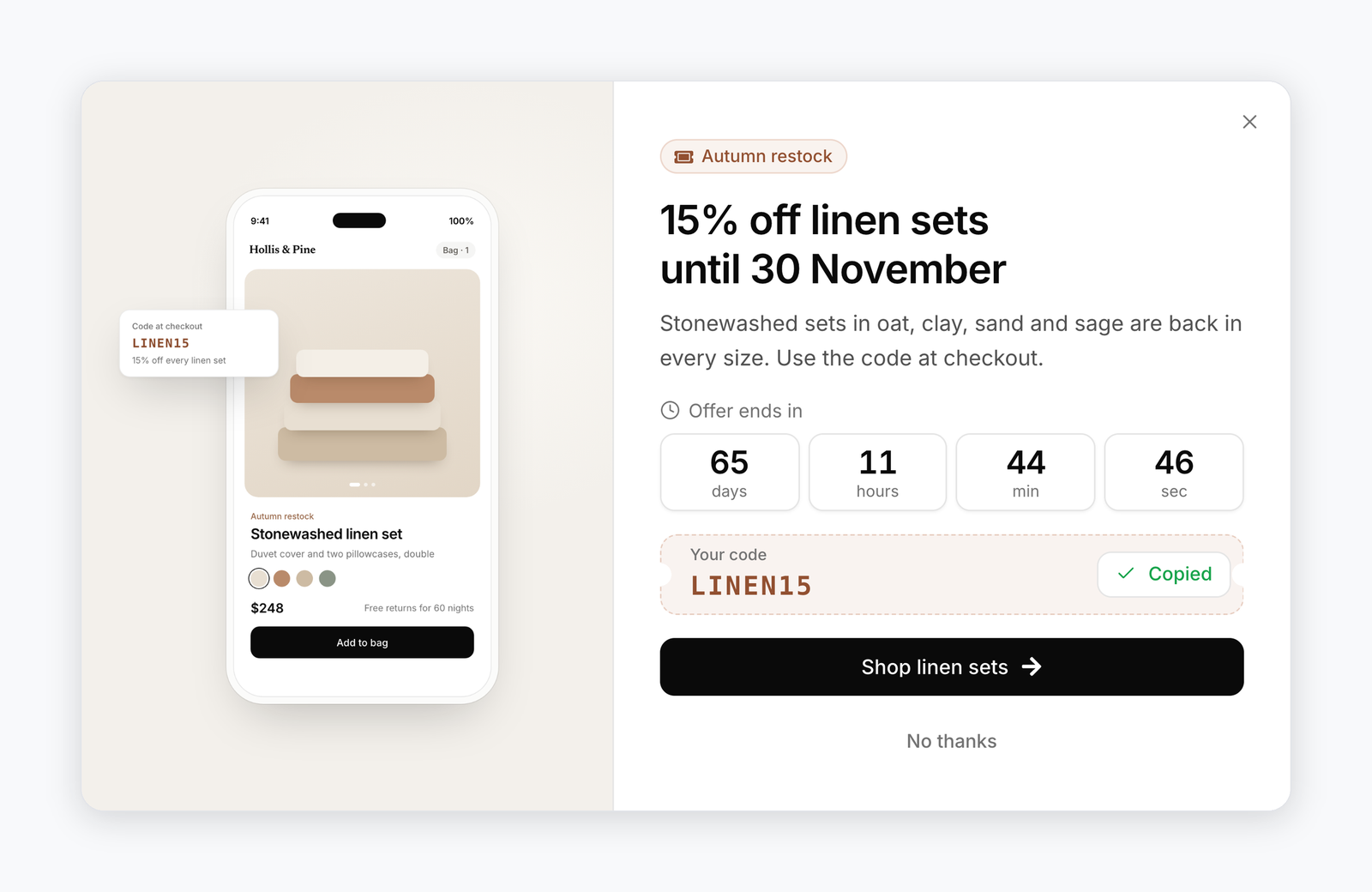
A split offer, a full-screen launch, a slide-in, bars, a drawer and the thank-you after a sign-up — each one the same module with a different layout.
How it behaves.
What a visitor sees on the page, and what you set in the editor behind it.
A popup that opens where you point
Write a link to #your-popup-id in any rich text, menu or button and the popup opens on the click. Point a CSS selector at the buttons you already have, or use the module’s own trigger button, inline or floating in a corner. A URL parameter such as ?popup=spring lets an email or an ad land a visitor with the offer already open.
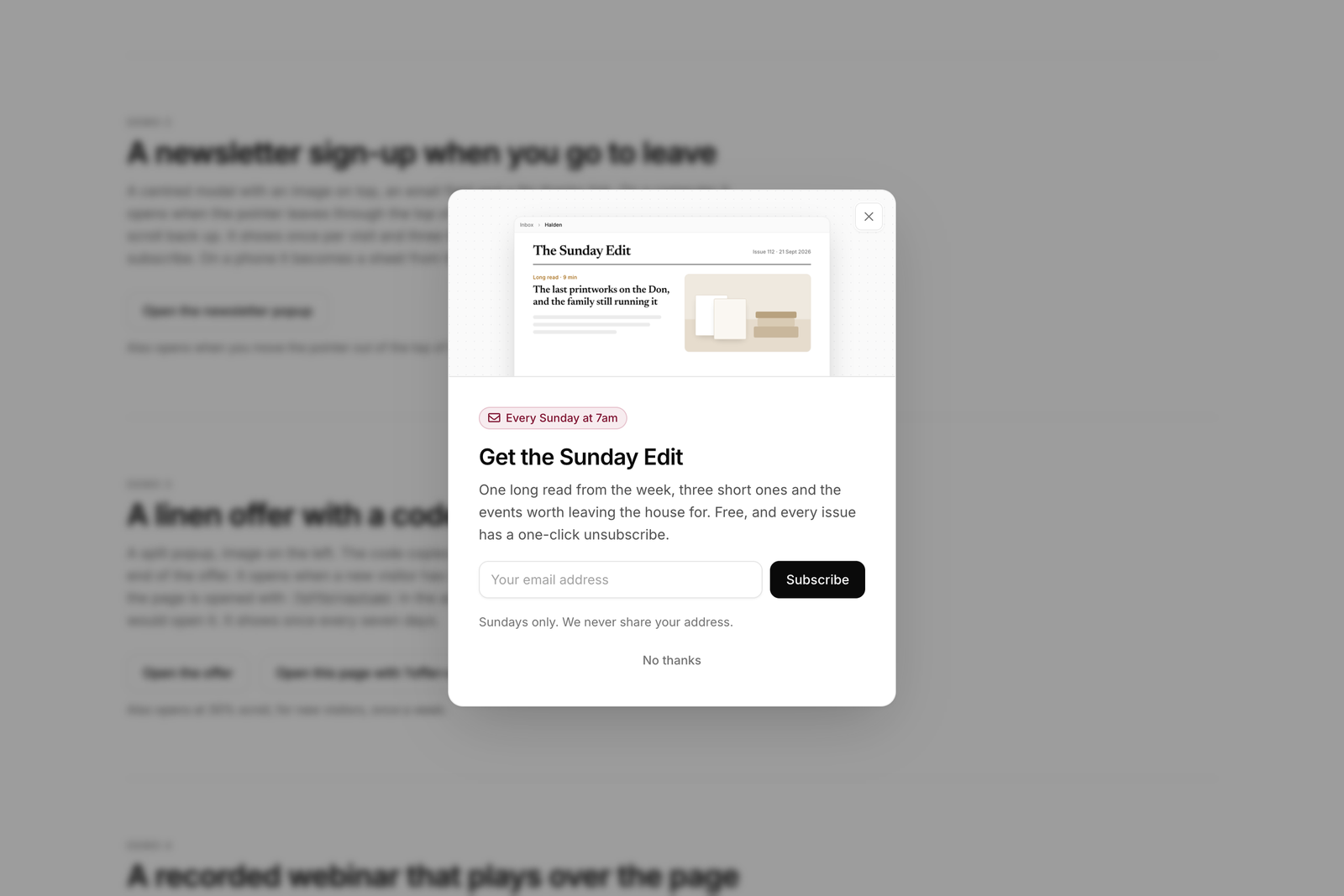
A sign-up when a visitor heads for the tab bar
Exit intent fires when the pointer leaves the window on a computer, or on a quick scroll up on a phone, once the visitor has been on the page for the seconds you set. The popup can also wait for a scroll depth, a section coming into view, a set time spent reading, or a minute with no input.
An offer with a code and a deadline
The coupon code sits in a box with a Copy button that confirms and announces the copy. The countdown runs to a fixed date or to a number of hours after each visitor first sees it, and when it ends it can hide, show your own line, or stop the popup showing on its own.
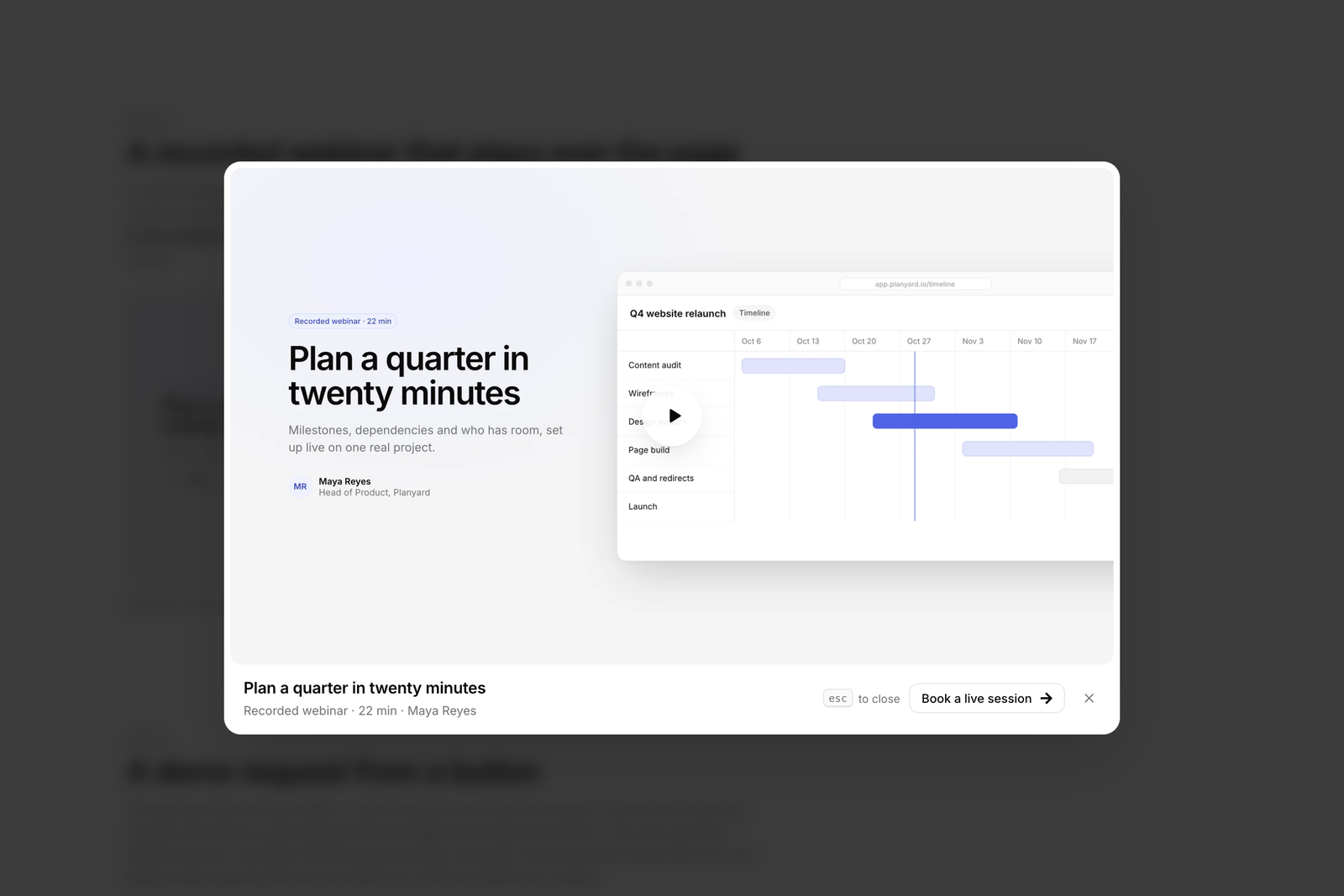
Video that plays over the page
The video lightbox plays YouTube, with a privacy-enhanced option, Vimeo, HubSpot video or an uploaded file, in a 16:9, 4:3, 1:1 or 9:16 frame. The player loads when the popup opens and stops when it closes, so a closed video never keeps playing in the background.
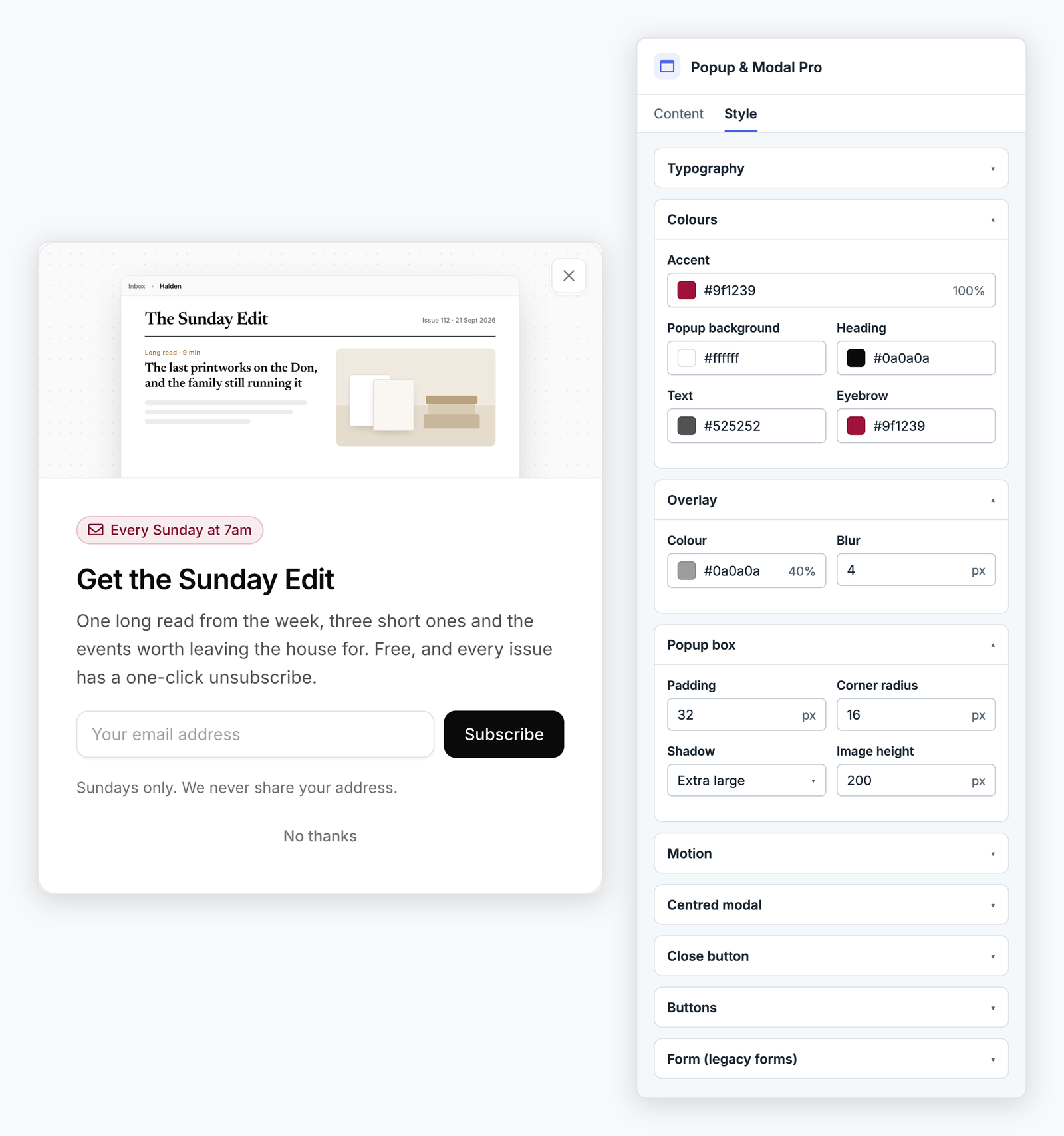
Styled in the page editor
Every colour, size, spacing, radius, shadow and animation is a field on the Style tab, and the accent colour and fonts come from your theme. In the page editor the popup shows open and in place, so you edit what visitors will see, and it never covers the editor or locks its scroll.
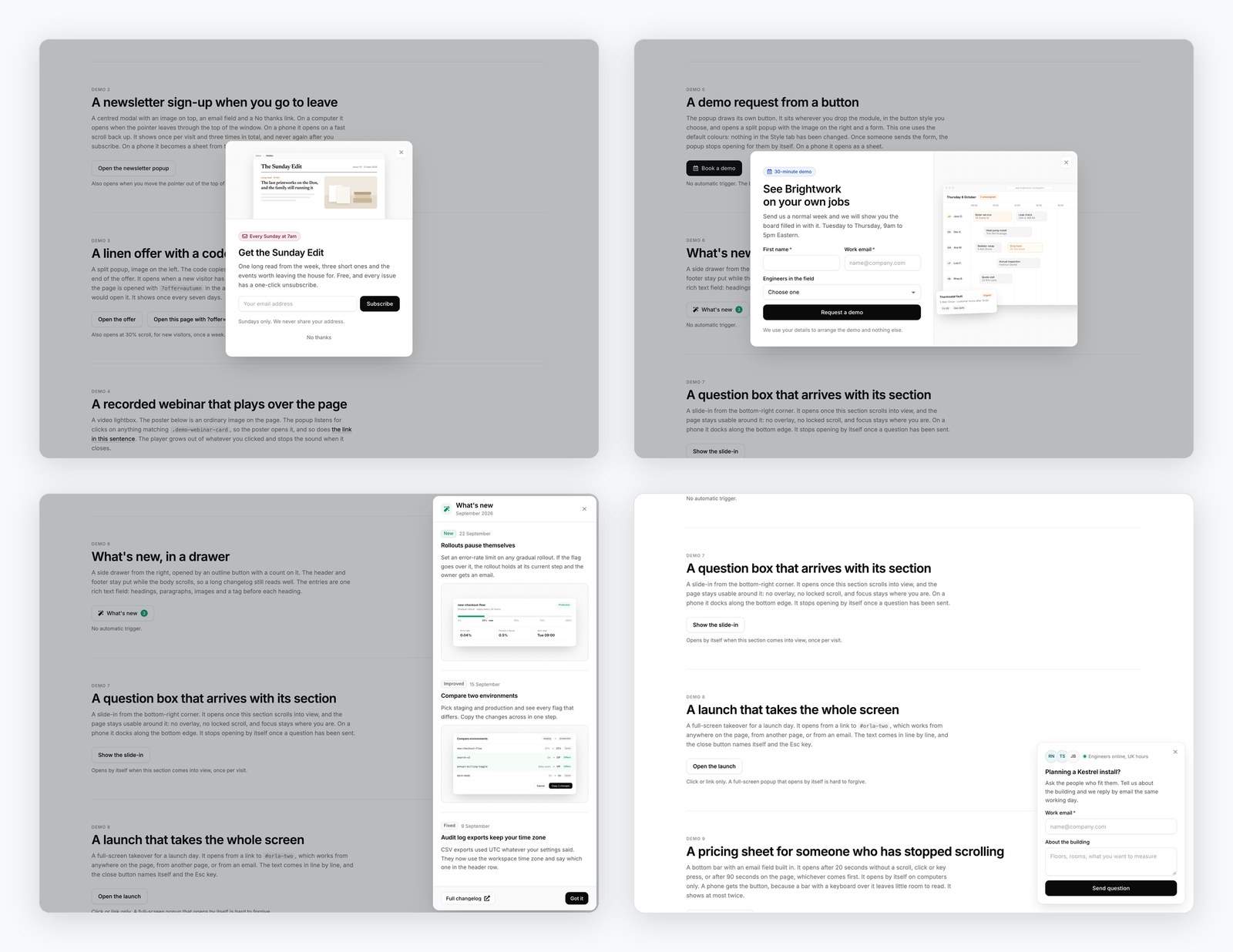
One module, different popups.
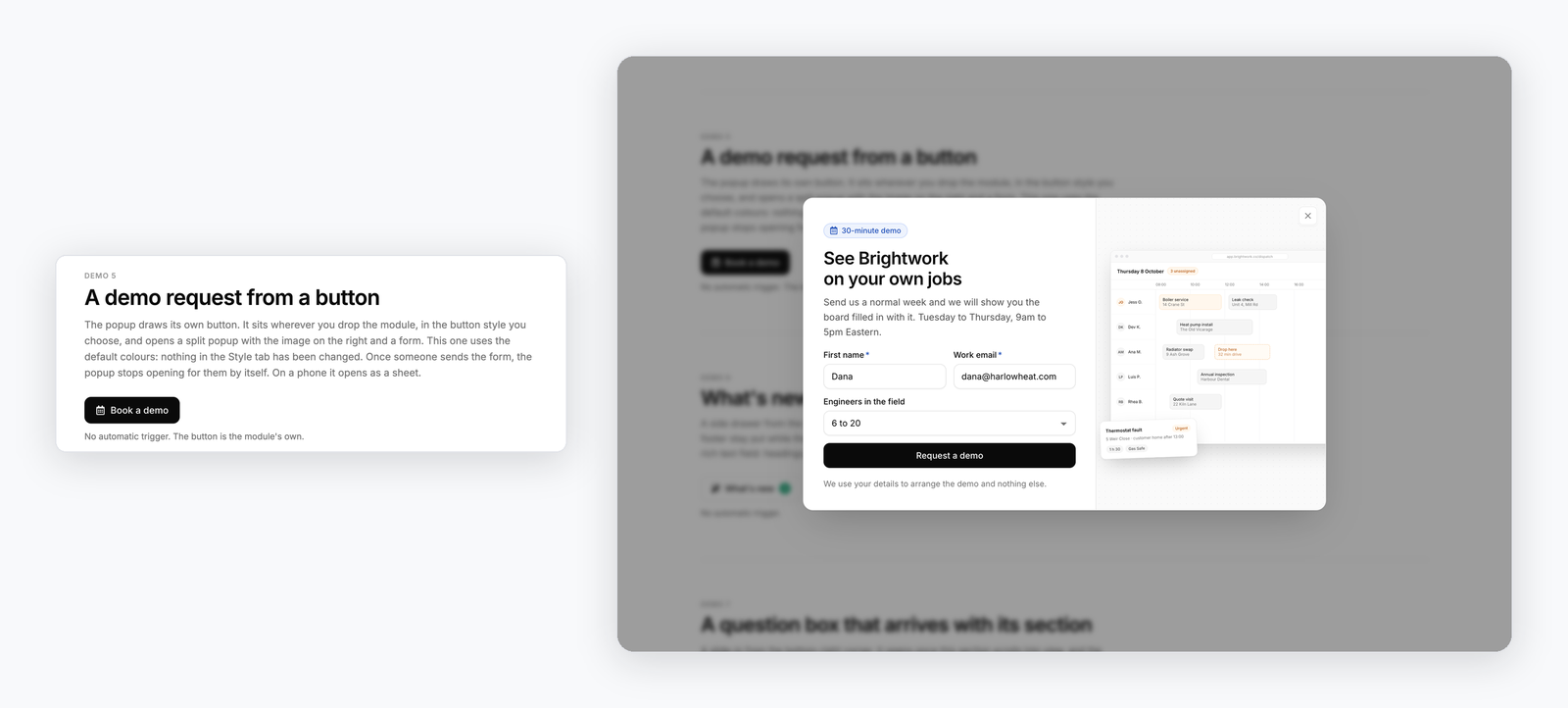
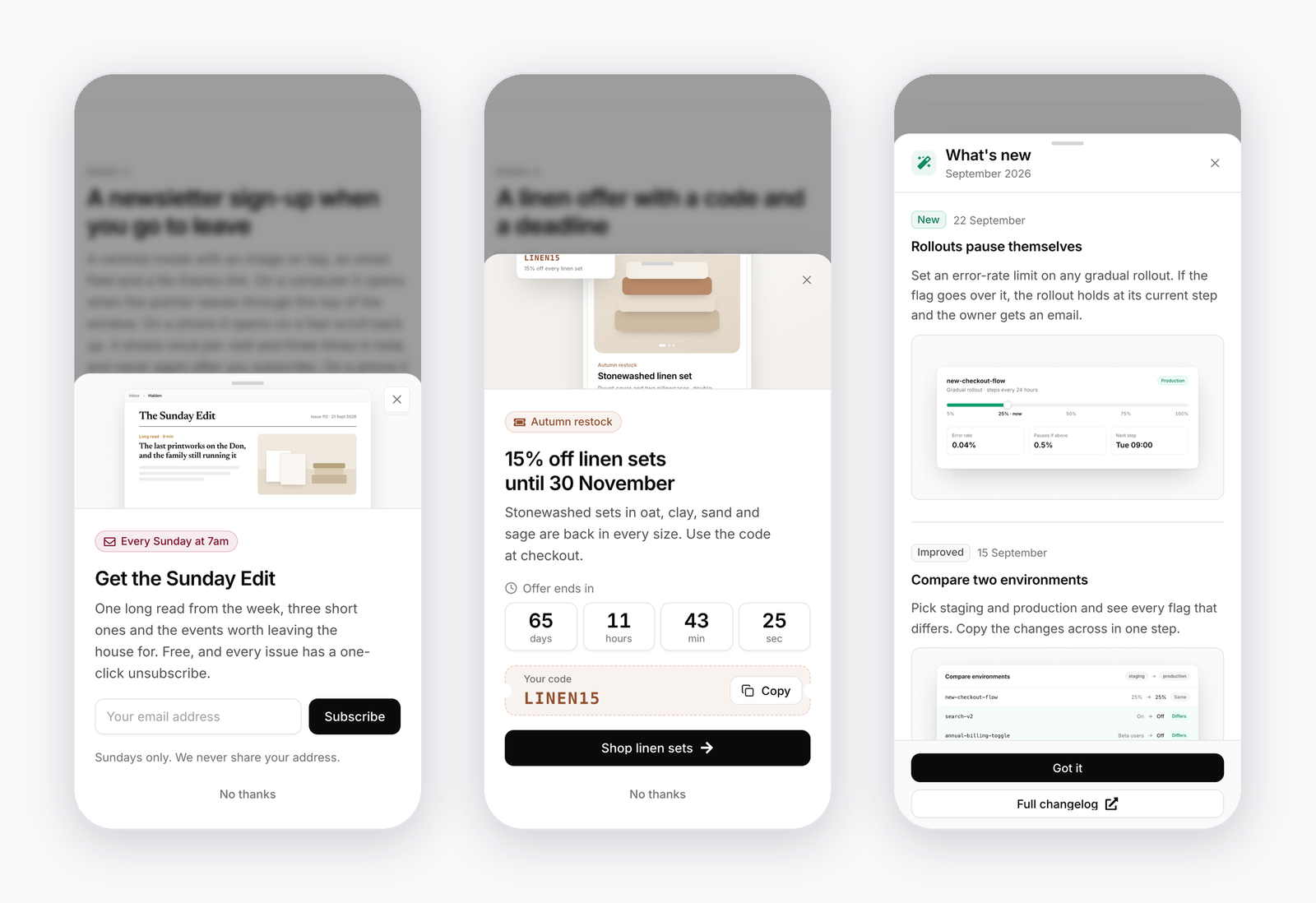
The same module as a sign-up on exit, a demo request behind a button, a drawer of release notes and a slide-in that waits for its section. On phones the popup can keep its layout, become a bottom sheet or go full screen.
One-time price.
Buy it once on the HubSpot Marketplace. No subscription.
One-time price on the HubSpot Marketplace. Works with any theme; every option is a field in the page editor.
- Standalone HubSpot CMS module
- Seven layouts, with a bottom sheet on phones
- Click, delay, scroll, exit-intent and URL triggers
- HubSpot forms, coupon codes and countdowns
- Google Tag Manager events on show, convert and close
- Free updates and support
Common questions.
What does Popup & Modal Pro do?
It puts popups on your HubSpot pages without a developer or a separate popup tool. Each module you drop onto a page is one popup: a centred modal, a split panel with an image, a full-screen takeover, a corner slide-in, a bar at the top or bottom, a side drawer or a video lightbox. Its content, triggers, rules and every word on screen are fields in the page editor.
What can open a popup?
A click on any link to #your-popup-id, on an element matching a CSS selector you enter, or on the module’s own trigger button. On its own it can open after a delay, after a set time spent reading, at a scroll depth or when a section comes into view, on exit intent, after a quiet spell with no input, or from a URL parameter such as ?popup=spring in an email or an ad.
How do we stop it from annoying people?
Automatic showings follow the rules you set: every page view, once per visit, once every so many days or once ever, a cap on the total, and nothing more after the visitor signs up, clicks your button or copies the code. Several popups on one page form a queue, so only one is ever on screen. A click always opens the popup, because the visitor asked for it.
Does it work with HubSpot forms?
Yes. Any HubSpot form goes inside the popup and submits to HubSpot as it would anywhere else. After a submission the popup can stay open, close after a delay, or leave only the thank-you message and a coupon code revealed by the sign-up. Forms from HubSpot’s legacy form editor take the module’s styling; forms from the new form editor render in HubSpot’s own frame and keep the styling set in HubSpot.
Can it target pages, countries or run A/B tests?
No. Place the module on the pages you want the popup on, or in a global group for every page. It does not target by country, run A/B variants or multi-step popups, or store analytics. It sends show, convert and close events to Google Tag Manager for your own reports.
Is it accessible?
Focus moves into a modal popup and returns where it came from on close, Tab stays inside it, and Esc always closes it. Slide-ins and bars leave the page usable and announce themselves to screen readers without taking focus. Visitors who ask for reduced motion get a short fade and no autoplay.
How much does it cost?
It is a one-time purchase of $49.99 on the HubSpot Marketplace. That includes free updates and support.